Register a Gateway Node
Registering Steps
Caution
Please be aware that our Datai Network Console is not live yet, and this guide is for informational purposes only. We will update this guide as soon as it is released.
Open the Nodes Page
Navigate to the Nodes section via the sidebar. You’ll see a list of your currently deployed nodes, along with a Create Node button.
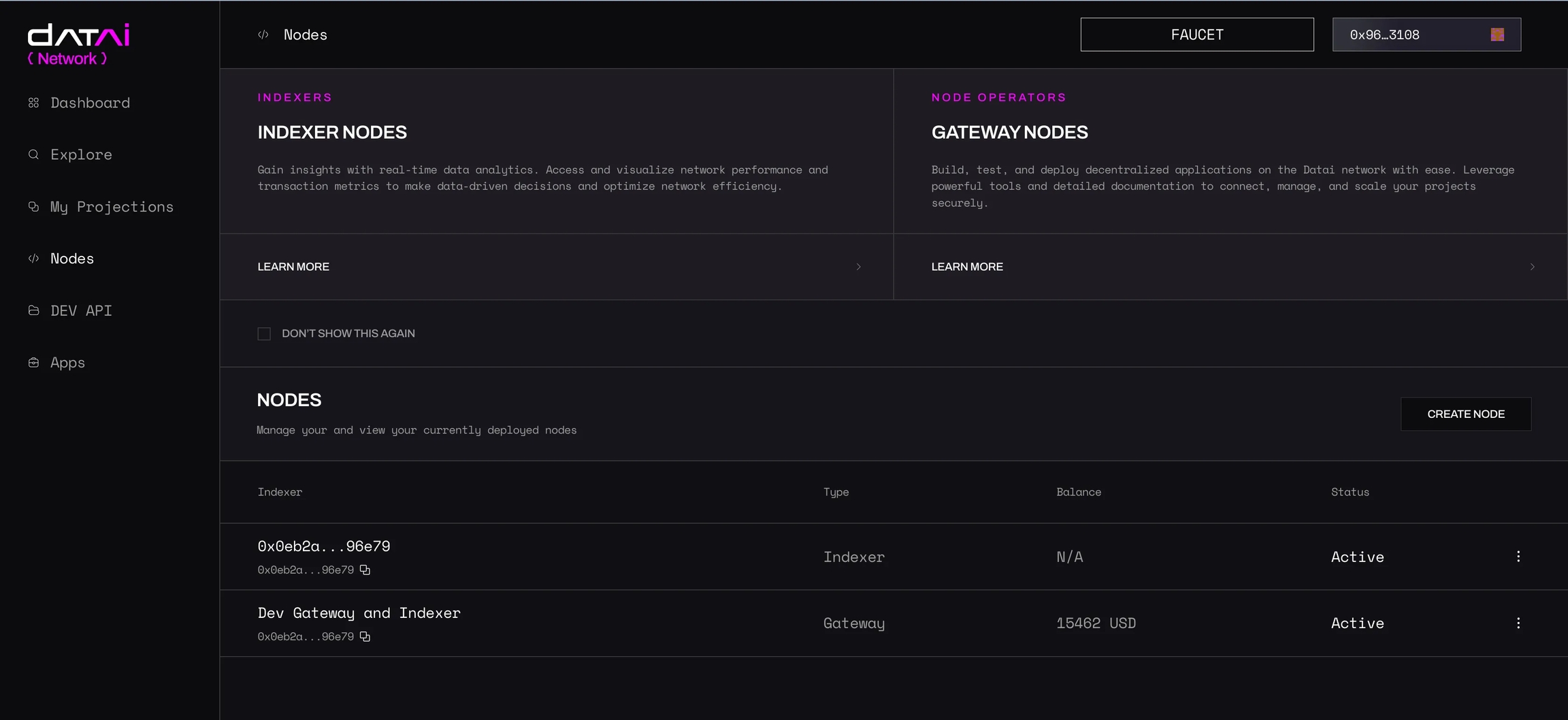
Click “Create Node”
Click the Create Node button to open the node creation modal. You will be prompted to select the type of node you wish to deploy.
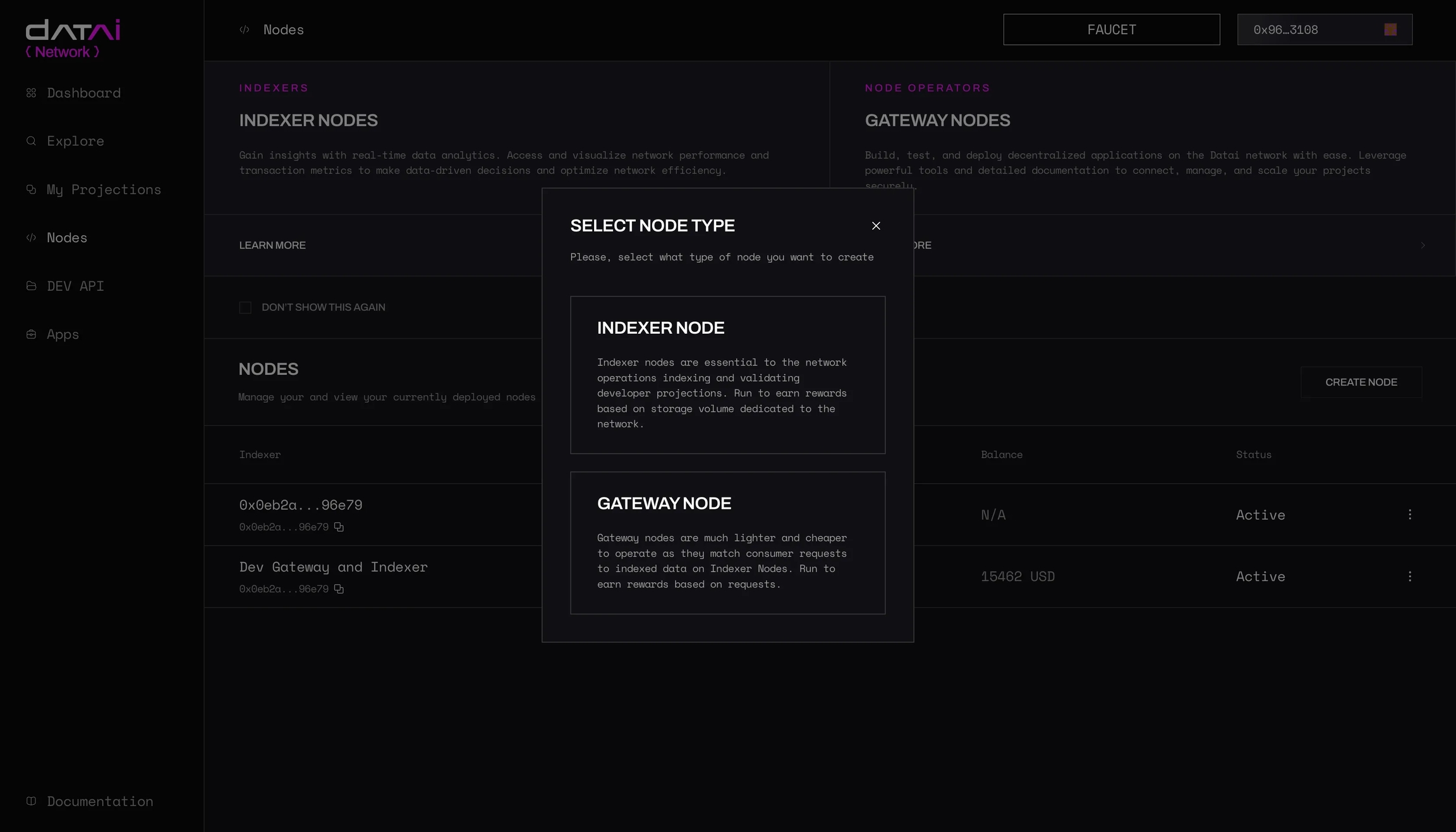
Select “Gateway Node”
In the modal, select Gateway Node.
Gateway nodes are lightweight and cost-efficient. They match user requests to data hosted on Indexer Nodes. You can earn rewards based on data requests served by your node.
Register your Gateway Node
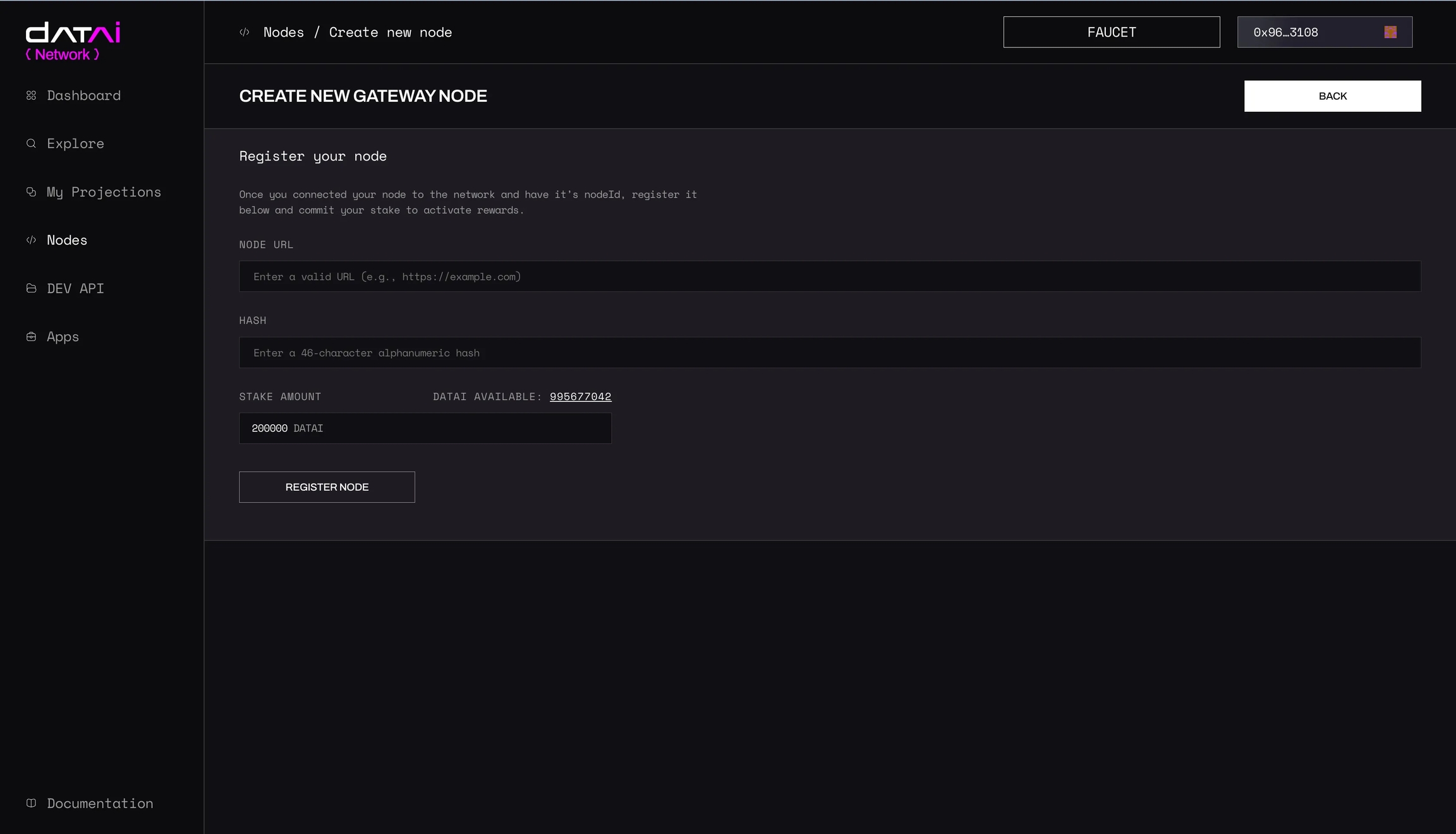
After selecting Gateway Node, you’ll be taken to the registration screen.
You’ll see a form with the following fields:
Node URL — the public URL of your node (e.g.,
https://example.com).Hash — the node’s unique
nodeId.Stake Amount — this is the amount of DATAI tokens you’re committing to activate your node. The amount is fixed.
Once filled in, click Register Node to proceed.
Confirm and Sign the Registration Transaction
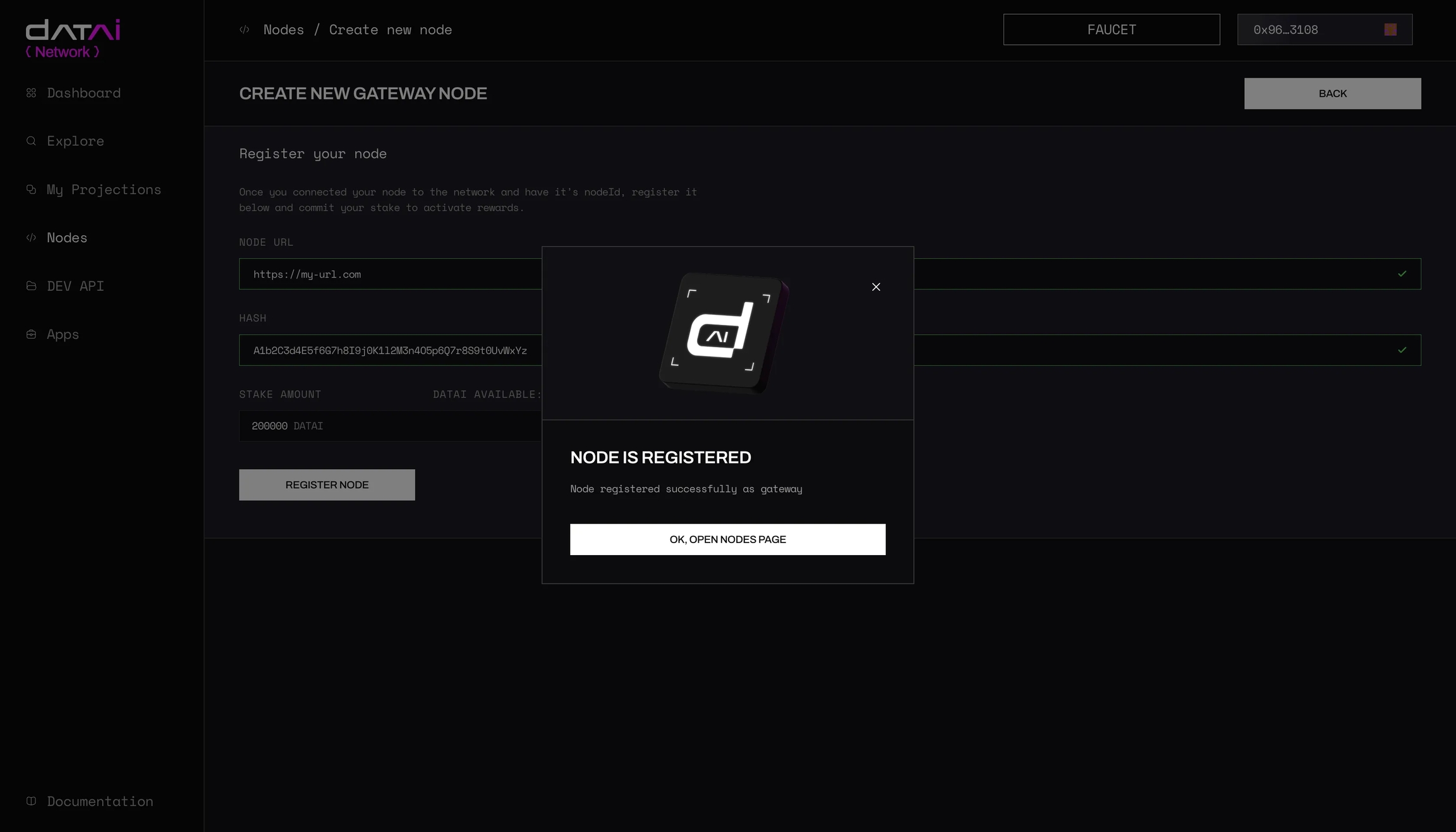
After clicking Register Node, a blockchain transaction will be triggered in your connected wallet (e.g., MetaMask).
Once the transaction is confirmed on-chain, your Gateway Node will be successfully registered and activated for staking rewards.
Note
Make sure you have enough DATAI tokens in your wallet for staking, and enough ETH for gas fees on the current network.
Last updated